
How to make the Talk Dirty dance AI video
Start with my photoThere are three ways to make the Talk Dirty dance AI video, where you lead the concert dance break with the backup crew and the flame jets behind you: use a CapCut AI dance template, write a prompt for an AI video tool, or add one photo here. This guide walks through the photo-only way step by step, then covers posting it on TikTok and what to change when the result looks off.
- You need: one clear photo
- You get: a 10-second 9:16 clip
- Then: download it and post
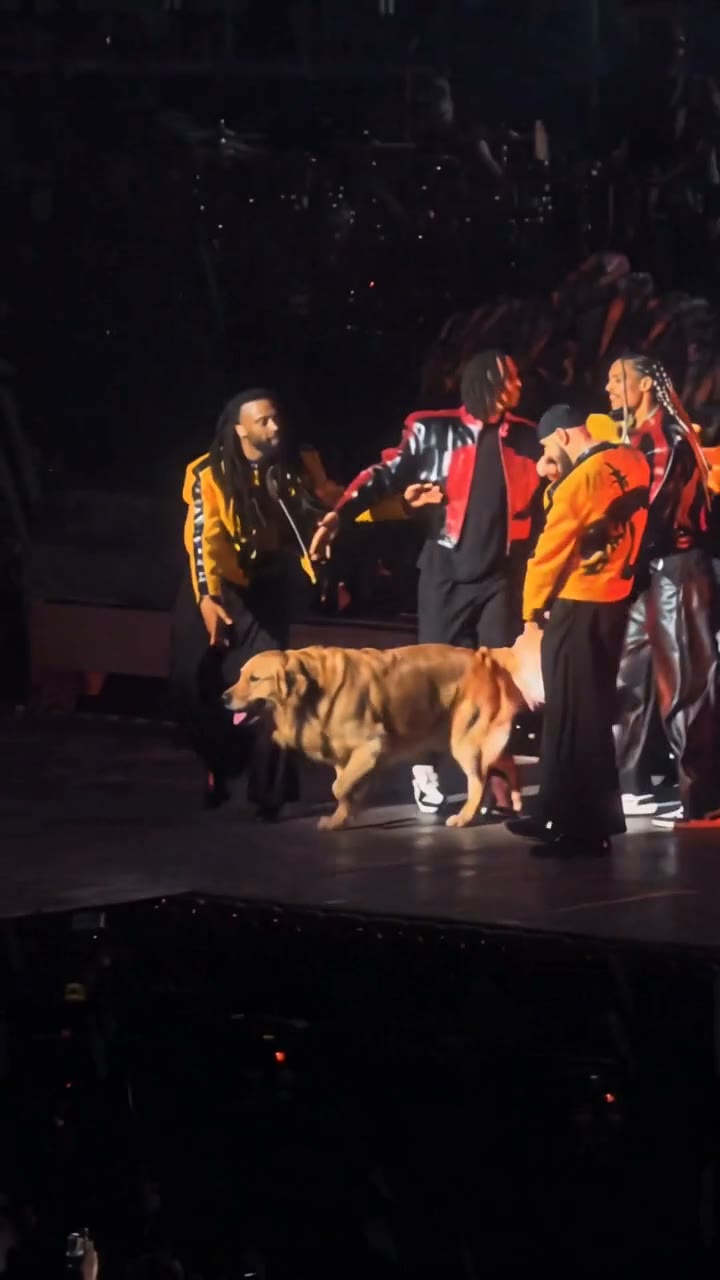
Three ways to make the Talk Dirty dance AI video
Pick by what you have: a phone with CapCut, time to write and retry prompts, or just a photo.
| A CapCut AI templateIn the CapCut app | Write an AI promptIn an AI video toolGet the prompt | One photo hereNo app, no promptUse my photo | |
|---|---|---|---|
| What you need | The CapCut app and a template link that still works | A photo, a long prompt and a few tries | One clear photo |
| What comes back | Whatever that template is set up to make | A new scene from your words; the stage and moves change each time | The same concert clip with you in the lead |
| The shape | Set by the template | Whatever you set in the tool | 10 seconds, 9:16, 720p |
| What can go wrong | Templates get taken down or stop working | A different dance, no flames, warped hands | A face that looks off if the photo is unclear |
Make it from one photo in three steps
Three steps, and you can close the tab while your video is made.
- 1
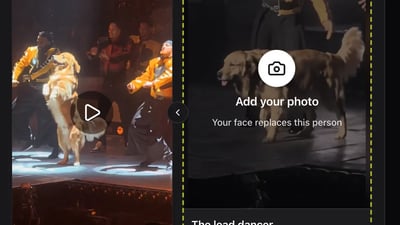
Pick a clear photo
Use a photo where the face is toward the camera in even light, with one person only and no sunglasses or mask. The dancer gets the face, hair and top from this photo. A dog works too: one dog, facing the camera, nothing else in the frame.
- 2
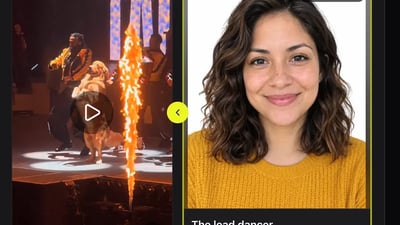
Add it to the lead dancer slot
Drop the photo into the lead dancer slot. The tick box confirms the photo is you, an adult who agreed to be in the video, or your pet; public figures and anyone under 18 are not allowed. Then press Generate video.
- 3
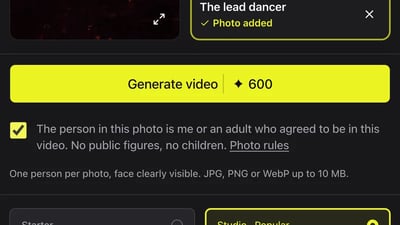
Download it from My videos
You can close the tab. The finished clip shows up under the My videos tab of the generator, where it stays for 30 days. Download it as an MP4 or copy a share link from there.
Make your Talk Dirty dance AI video
Add one photo for the lead dancer. The stage, the crew and the flames stay as they are.
One person per photo, face clearly visible. JPG, PNG or WebP up to 10 MB.
- No app
- No watermark
- Credits back if a video fails
Post your Talk Dirty dance video on TikTok and Reels
The clip is already vertical 9:16, so there is nothing to crop.
- 1
Add a song when you post
Pick a track from the TikTok or Instagram sound library as you post.
- 2
Caption and hashtags
Say what it is in your own words, like "me leading the talk dirty dance", and add #talkdirtydance. That is the tag people use to find the trend.
- 3
Label it as AI
Switch on TikTok's AI-generated content label in the post settings. Instagram and YouTube have their own AI label when you upload.
Fixing your Talk Dirty dance AI video
Most problems come from the photo. Change one thing at a time; each new try uses credits like a new video.
The face does not look like you
- Try this next
- Use a sharper photo, facing the camera, in even light, with nothing covering the face
- Keep as is
- Everything else; there is nothing else to set
The shorts or trousers are not yours
- Try this next
- Expected with a waist-up photo: the top comes from your photo and the bottom half keeps the original dancer's shorts
- Keep as is
- Your face photo, if the face looks right
Your dog looks like a different dog
- Try this next
- Use a photo of the dog alone, facing the camera, in daylight, with its whole head in frame
- Keep as is
- The rest of the clip
The video did not finish
- Try this next
- Press Generate video again; the credits for a failed video come back on their own
- Keep as is
- Your photo
Making the Talk Dirty dance AI video: questions
Not here. You add a photo, and the moves, the stage and the flames come from the concert clip. To try it in another AI video tool, our prompt guide has a full prompt to copy.
Yes, the AI trend spread through CapCut AI dance templates. Template links come and go, though. Here there is nothing to install: add a photo in the browser and download the finished clip.
Use a photo with one person. The clip has one lead dancer, and a group photo makes it hard to tell whose face to use.
Usually several minutes. You can close the tab after pressing Generate video; the clip shows up in My videos when it is ready.
No. Every video is 10 seconds, the length of the clip it is based on.
Yes. It is a 9:16 MP4, the shape TikTok, Reels and Shorts expect. Switch on the AI-generated label when you post.
More Talk Dirty dance guides
What is the Talk Dirty dance trend?
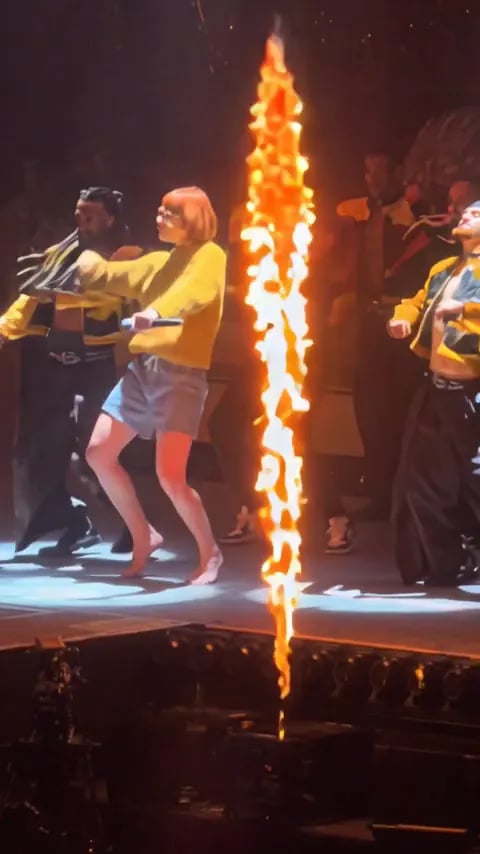
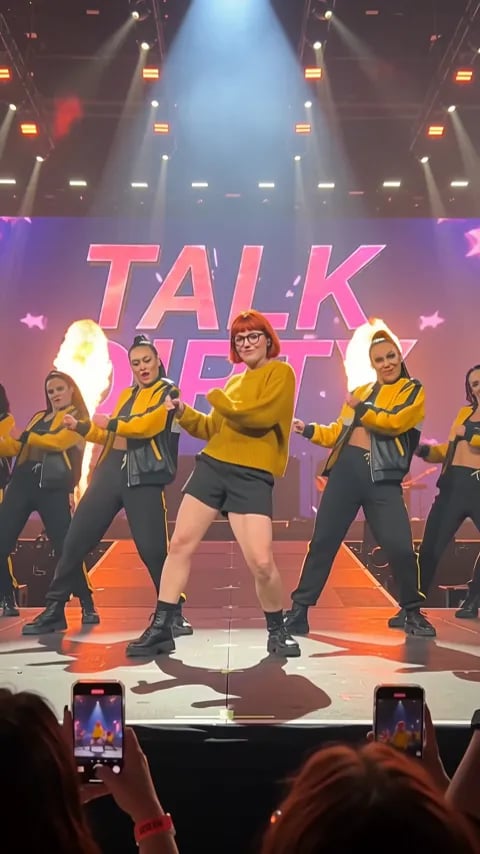
The Talk Dirty dance trend is a short vertical video of a concert dance break: a lead dancer front and centre on an arena stage, a crew of backup dancers in yellow and black jackets behind, a spotlight from above and flame jets shooting up from the edge of the stage. In the AI version that spread on TikTok in October 2026, the lead dancer is someone else: the person in an uploaded photo. The song is "Talk Dirty" by Jason Derulo featuring 2 Chainz.
Talk Dirty dance AI prompt
Below is a full Talk Dirty dance AI prompt to paste into an image-to-video tool, a second-by-second version, what happened when we ran it once in Wan 3.0, and fixes to try. Rather not write a prompt? Make it here from one photo; the stage, the crew, the moves and the flames come from the trend's own clip.
Ready to take the lead?
One photo, no app, no prompt.